Simple CRM for Small Business
FollowUpHQ helps small businesses manage contacts, track leads, schedule follow-ups, and keep customer relationships organized — without the complexity of a traditional CRM.
14-day free trial. No credit card required.
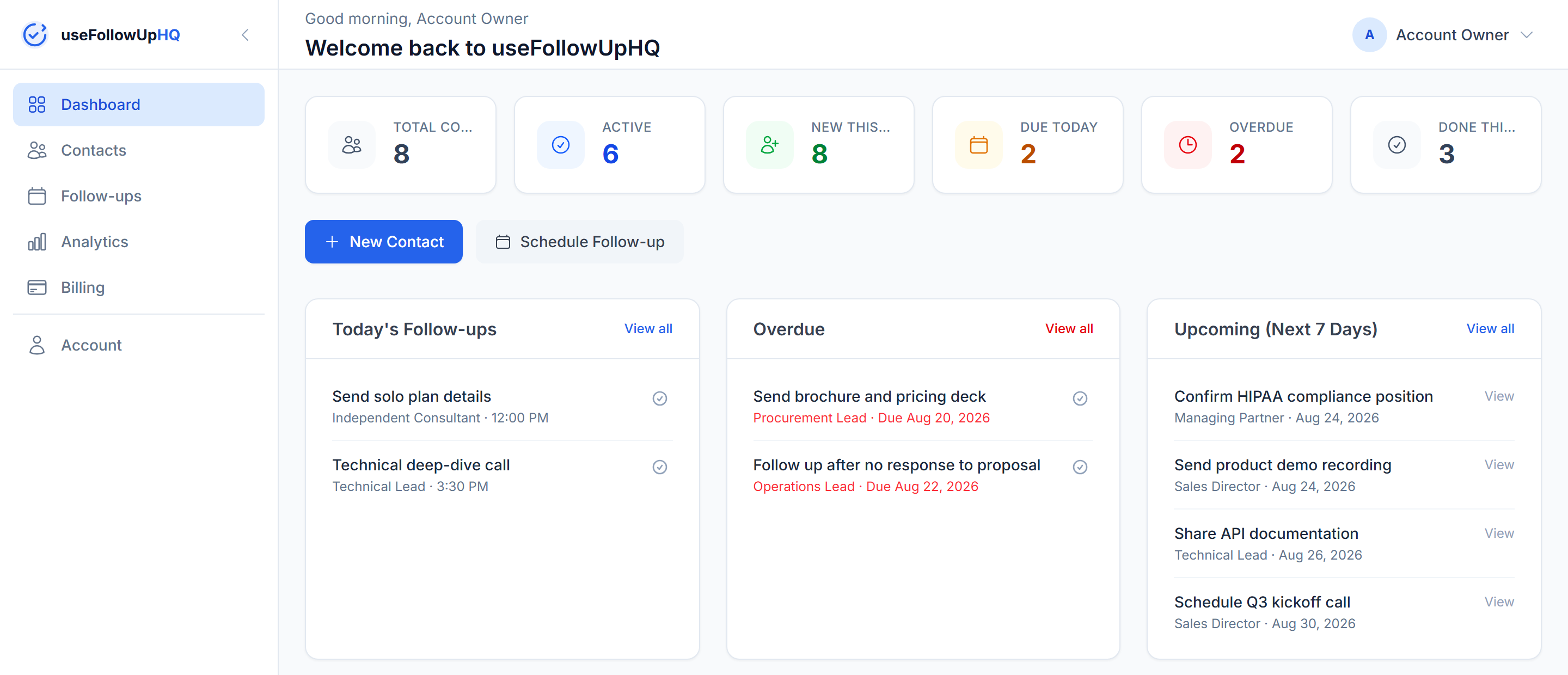
FollowUpHQ helps small businesses manage contacts, track leads, schedule follow-ups, and keep customer relationships organized — without the complexity of a traditional CRM.
14-day free trial. No credit card required.
Most small businesses don't need an enterprise-scale system to stay on top of customers. What they actually need is simpler: somewhere to keep customer and contact information, a clear view of which leads are still active, a record of what was last discussed, and a reliable way to know what needs to happen next.
That's the problem FollowUpHQ is built around — contact management, lead status, and follow-up scheduling in one focused tool, so customer activity stays organized without requiring you to configure a large system first.
The core pieces of a small business CRM, without the setup overhead of a larger system.
Store and manage customer and prospect information — contact details, company, and notes — in one place.
Every contact carries a status — New, Contacted, Qualified, Won or Lost — so you always know where a lead stands.
Schedule follow-ups and get an email reminder before each one is due, so important conversations don't get forgotten.
Every contact keeps a simple timeline: when it was added, and every follow-up scheduled, completed or cancelled.
Your dashboard shows what's due today, what's overdue, and what's coming up next, so the next step is never a guess.
A clear status for every contact keeps you oriented at a glance, without needing to configure a complex sales pipeline.
See exactly how reminders work on the follow-up reminder tool page.
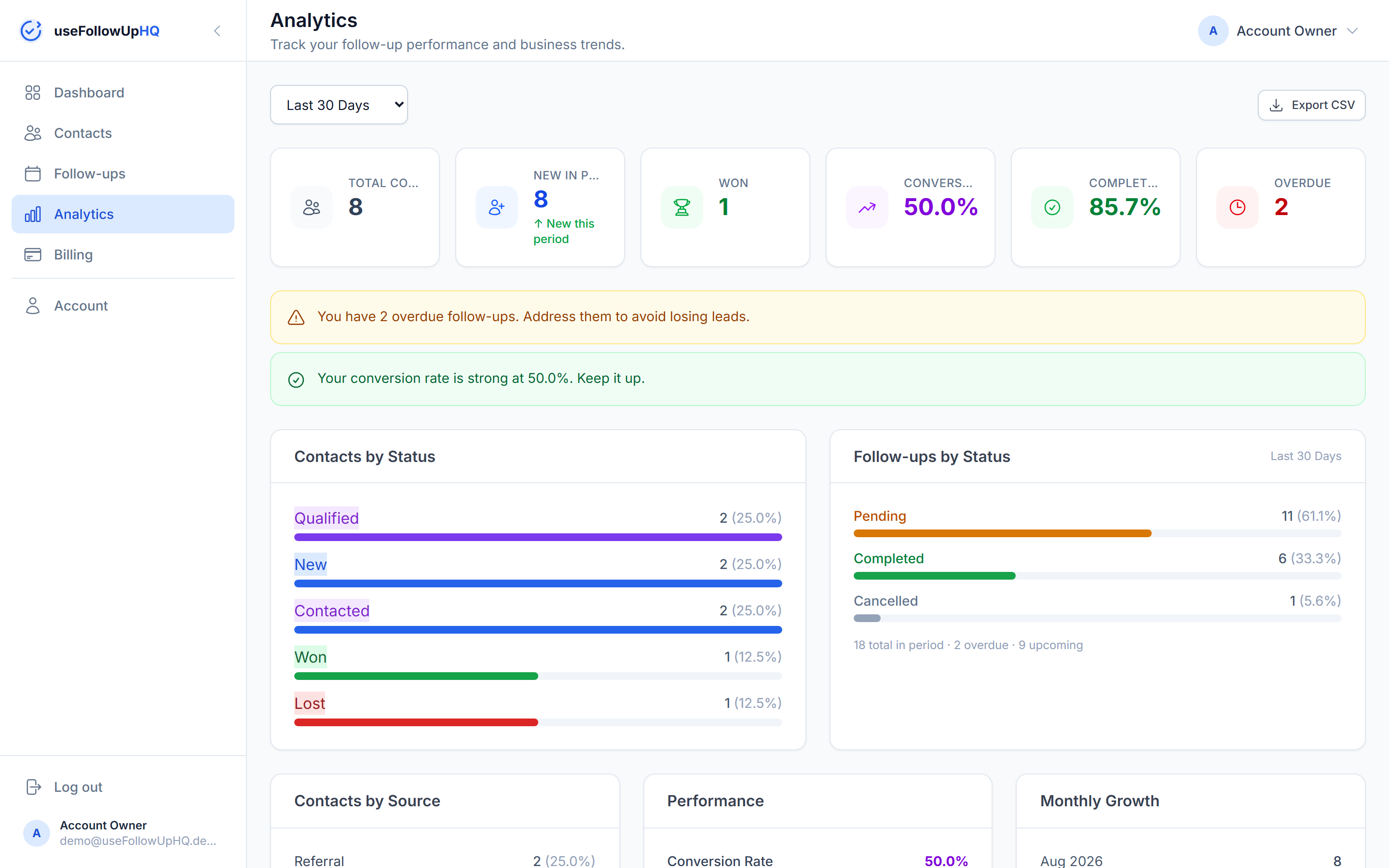
Keep customer and prospect information organized in one place.
Know which prospects you're working with and where each one stands.
Set a follow-up and get a reminder so you know when to reconnect.
Review activity and follow up consistently, without relying on memory or spreadsheets.
Different businesses need different levels of CRM functionality. A sales team running a complex, multi-stage process with forecasting and automation will outgrow a simple tool. But for a lot of small businesses, simplicity is the actual advantage:
FollowUpHQ is positioned around that simpler workflow — practical contact and follow-up management for businesses that want that, not a scaled-down version of an enterprise CRM.
A contact database tells you who someone is. A useful CRM should also help you remember what needs to happen next — that's the part a plain spreadsheet or address book leaves out, and it's the differentiator FollowUpHQ is built around.
In practice, that looks like a simple workflow: a contact gets a status as a lead moves along (New, Contacted, Qualified), you schedule a follow-up, FollowUpHQ sends a reminder before it's due, completing it adds to the contact's activity timeline, and you can update the contact's status to Won once they become a customer.
Read more about how reminders are timed on the follow-up reminders page, or see the full breakdown of when a simple follow-up tool is enough versus when you need a traditional CRM.
FollowUpHQ fits small business owners, freelancers, consultants, sales professionals, agencies, contractors, service businesses, and small sales teams — anyone whose work depends on staying on top of contacts and following up consistently rather than running a large, configurable sales process. In practice that includes marketing agencies, consultants, insurance agents, real estate agents, solar companies, and HVAC and other contractor businesses.
Spreadsheets work fine for a handful of contacts. They tend to become difficult once a business needs to manage many contacts, several open leads at once, recurring follow-ups, a history of customer activity, and ongoing sales conversations — there's no reminder system, no per-contact history, and it's easy for a follow-up to quietly fall off the bottom of a sheet. A CRM gives that same information a structured home: each contact has its own record, status, activity timeline, and scheduled follow-ups, so nothing depends on remembering to check a spreadsheet.
This is about scope, not quality — a traditional CRM isn't worse for doing more; it's a different tool for a different job. Here's how FollowUpHQ's feature set compares:
| FollowUpHQ | Traditional CRM | |
|---|---|---|
| Contact management | ✓ | ✓ |
| Lead status tracking | ✓ | ✓ |
| Follow-up reminders | ✓ | Usually available |
| Customer activity timeline | ✓ | ✓ |
| Custom pipeline stages | — | Often available |
| Email / calendar integrations | — | Often available |
| Team / multi-user collaboration | — | Often available |
A CRM for a small business is software that helps organize customer information, track leads, manage interactions, and stay on top of follow-ups.
The right CRM depends on what your business actually needs. A simple CRM should make contact management, lead tracking, and follow-up easy without unnecessary complexity. FollowUpHQ is built around that: contacts, a status for each one, and follow-up reminders, without requiring custom pipelines or complex automation.
A CRM becomes useful once a spreadsheet or your memory starts to strain: a growing contact list, several leads open at once, recurring follow-ups, or a history worth keeping per contact.
At minimum: contact management, a way to track where each lead stands, follow-up reminders, a record of activity per contact, and visibility into what needs to happen next. Larger CRMs add pipeline configuration, automation and reporting on top of that.
It depends on your volume. A spreadsheet works fine for a handful of contacts. It gets harder to trust once you're tracking many contacts, several open leads, recurring follow-ups and a history of what happened with each one — that's the point a structured system starts to pay for itself.
Lead tracking is one function of a CRM — knowing where each prospect stands. A CRM does that plus contact management, activity history, follow-ups and reminders, and (in larger CRMs) reporting and automation on top.
Keep your contacts organized, track your leads, and stay on top of follow-ups with FollowUpHQ.
No credit card required · Cancel anytime