Lead Tracking Software for Small Business
Track leads, keep contact information organized, schedule follow-ups, and know what needs attention next with simple lead tracking software from FollowUpHQ.
14-day free trial. No credit card required.
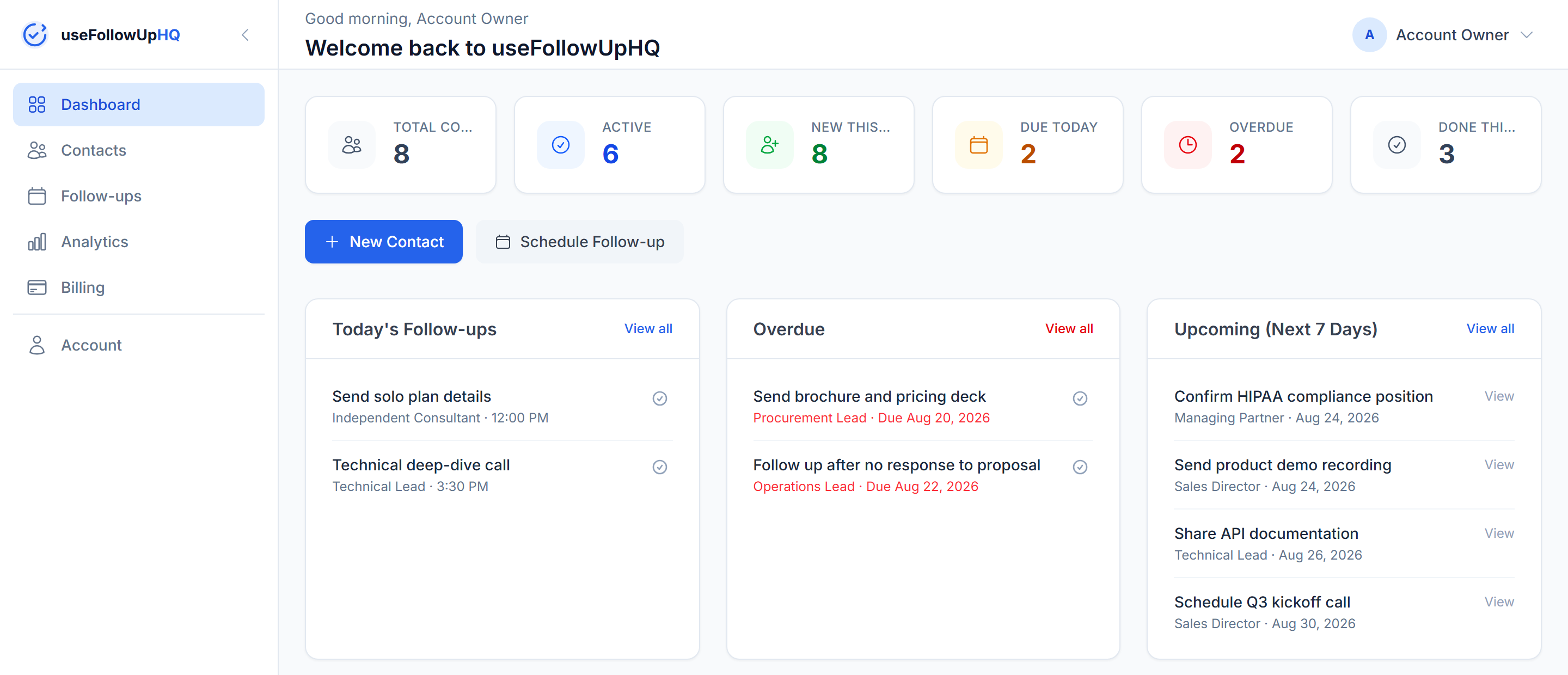
Track leads, keep contact information organized, schedule follow-ups, and know what needs attention next with simple lead tracking software from FollowUpHQ.
14-day free trial. No credit card required.
Tracking leads well is often less about volume and more about visibility. It's a familiar pattern:
Lead tracking software exists to close that gap — one place to see who's who, where they stand, and what's next.
Lead tracking software helps a business keep track of potential customers as they move through its own follow-up process — who they are, where they came from, where they currently stand, and what needs to happen next.
In practice, useful lead tracking means being able to:
In FollowUpHQ, a lead is represented through its contact record — there's no separate "lead" object to keep in sync. Each contact can hold:
Instead of keeping lead information across different notes or spreadsheets, FollowUpHQ gives each contact a structured record where you can keep the information needed for the next step. It doesn't automatically capture leads from other sources — you add them.
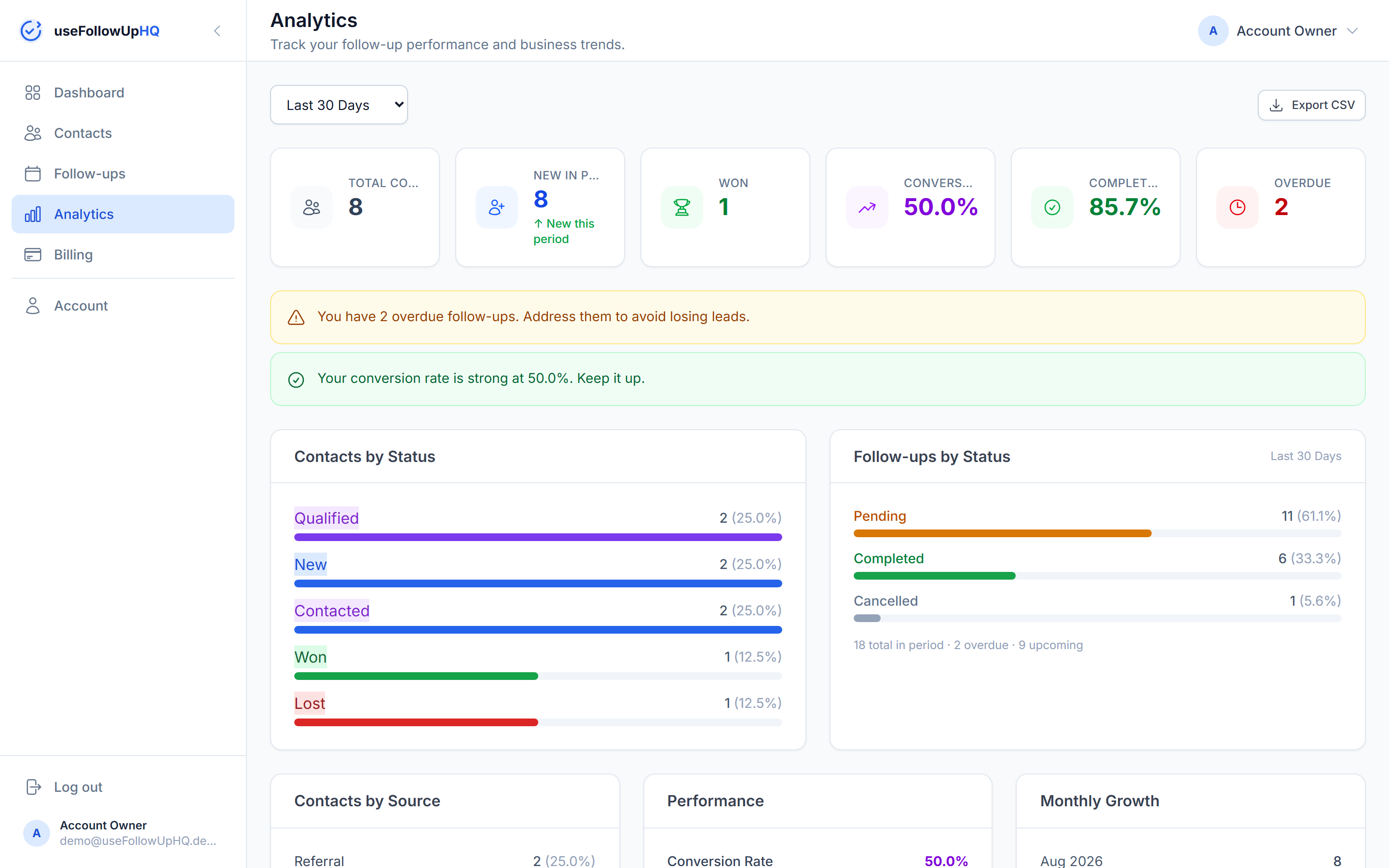
Every contact has one of five statuses, so you always know where a lead stands:
These are fixed statuses rather than customizable pipeline stages, keeping the lead-tracking workflow simple and ready to use.
Knowing that a lead exists isn't enough. You also need to know what you should do next.
Record the contact — name, company, email, phone, source, and notes.
Mark it New, Contacted, Qualified, Won, or Lost.
Set a due date, and optionally a specific time.
An email reminder reaches you before it's due.
Mark it completed once you've made contact.
Move the lead forward — Qualified, Won, or Lost — so it stays accurate.
FollowUpHQ can send you a reminder email for any scheduled follow-up — one hour before a timed follow-up, or at 9:00 AM local time for a follow-up scheduled for a date without a specific time. The reminder goes to you; it does not automatically send an email to the lead.
For the full breakdown of exactly how timing works, see the follow-up reminder tool page.
A spreadsheet can technically store lead information. A dedicated lead-tracking workflow just reduces how much of the coordination you have to do by hand:
| FollowUpHQ | Spreadsheet | |
|---|---|---|
| Lead/contact information | ✓ | ✓ |
| Lead status tracking | ✓ | Manual |
| Follow-up scheduling | ✓ | Manual |
| Follow-up reminders | ✓ | Manual |
| Upcoming follow-ups | ✓ | Manual |
| Overdue follow-ups | ✓ | Manual |
| Activity timeline | ✓ | Manual |
| Follow-up dashboard | ✓ | — |
A traditional CRM platform can include broader functionality — custom pipelines, automation, team collaboration, integrations, and wider sales workflows. FollowUpHQ isn't a full CRM. It focuses on contact management, lead status tracking, follow-up scheduling, reminders, a dashboard, and analytics.
If lead tracking and follow-up are the actual problem, that focused set may be enough. If you need the broader feature set, see simple CRM for small businesses to help decide which fits.
FollowUpHQ fits small business owners, freelancers, consultants, sales professionals, agencies, contractors, and service businesses. It's designed for people managing their own contacts and follow-ups, rather than a shared team pipeline.
See the full breakdown of scheduling and reminders on the follow-up software page.
Beyond individual leads, FollowUpHQ's analytics show conversion rate, completion rate, contacts by status, contacts by source, monthly growth, and follow-up performance over time — so you can see patterns across your whole list, not just one contact at a time.
Lead tracking software helps you keep track of potential customers as they move through your own follow-up process — recording who they are, where they stand, and what needs to happen next, instead of relying on scattered notes or memory.
A simple system that keeps contact information, status, scheduled follow-ups, and reminders together in one place tends to work better than splitting them across a spreadsheet, a calendar, and memory.
At minimum: contact details, a status for each lead, notes, where the lead came from, a way to schedule the next follow-up, reminders, and visibility into what's upcoming or overdue.
Yes. FollowUpHQ sends you an email reminder — one hour before a timed follow-up, or at 9:00 AM local time for a date-only one. The reminder goes to you, not to the lead.
Yes. Every contact has a status — New, Contacted, Qualified, Won, or Lost — so you can see where each lead stands at a glance.
No. FollowUpHQ provides contact management, lead/contact status tracking, follow-up scheduling, and reminders, but it is not intended to be a full CRM with custom pipelines, extensive automation, team features, and integrations.
Keep your leads organized, know what needs attention next, and get reminded when it's time to follow up.
No credit card required · Cancel anytime